


Looking for crazy games steal a brainrot? You can play Steal Brainrot Online on CrazyGames, a browser-based multiplayer game where you collect Brainrot characters, earn money, raid other players’ bases, and protect your own collection. You can jump into the action without downloading the Roblox client.
The game mixes meme characters, base building, stealing, and competitive multiplayer action. Every Brainrot you collect can help you earn more money, but other players may try to steal your valuable characters when your defenses are down.
In this guide, you will learn how to play Steal Brainrot Online, understand its controls, build your collection, protect your base, and avoid common mistakes. We will also explain how the CrazyGames version differs from the original Roblox experience.
What Is Crazy Games Steal a Brainrot?
Crazy Games Steal a Brainrot is a search term players use to find a browser version of the popular Brainrot stealing game. CrazyGames lists a game called Steal Brainrot Online, developed by Playme.
The main goal is simple: collect Brainrots, build up your money, and compete against other players. You can purchase characters from a conveyor belt or try to steal them from another player’s base.
Once you bring a Brainrot back to your base, it can generate income over time. You can use that money to expand your collection and improve your defenses.
The challenge is that other players have the same goal. A valuable collection can attract thieves, so you must balance earning money with protecting what you already own.
Key Features of Steal Brainrot Online
Here are some of the main features to expect:
- Browser-based gameplay: Start playing through the CrazyGames website.
- Brainrot collection: Collect unusual characters inspired by internet meme culture.
- Multiplayer competition: Encounter other players who are building their own collections.
- Stealing mechanics: Enter an unlocked enemy base and attempt to take a Brainrot.
- Base protection: Use locks and temporary shields to reduce the risk of losing characters.
- Progression: Earn money, purchase more Brainrots, and work toward rebirths for longer-term progress.
- Desktop and mobile support: The listing supports browsers on desktop, mobile, and tablet devices.
These features make the game a mix of collection, strategy, and competitive action rather than a simple clicker.
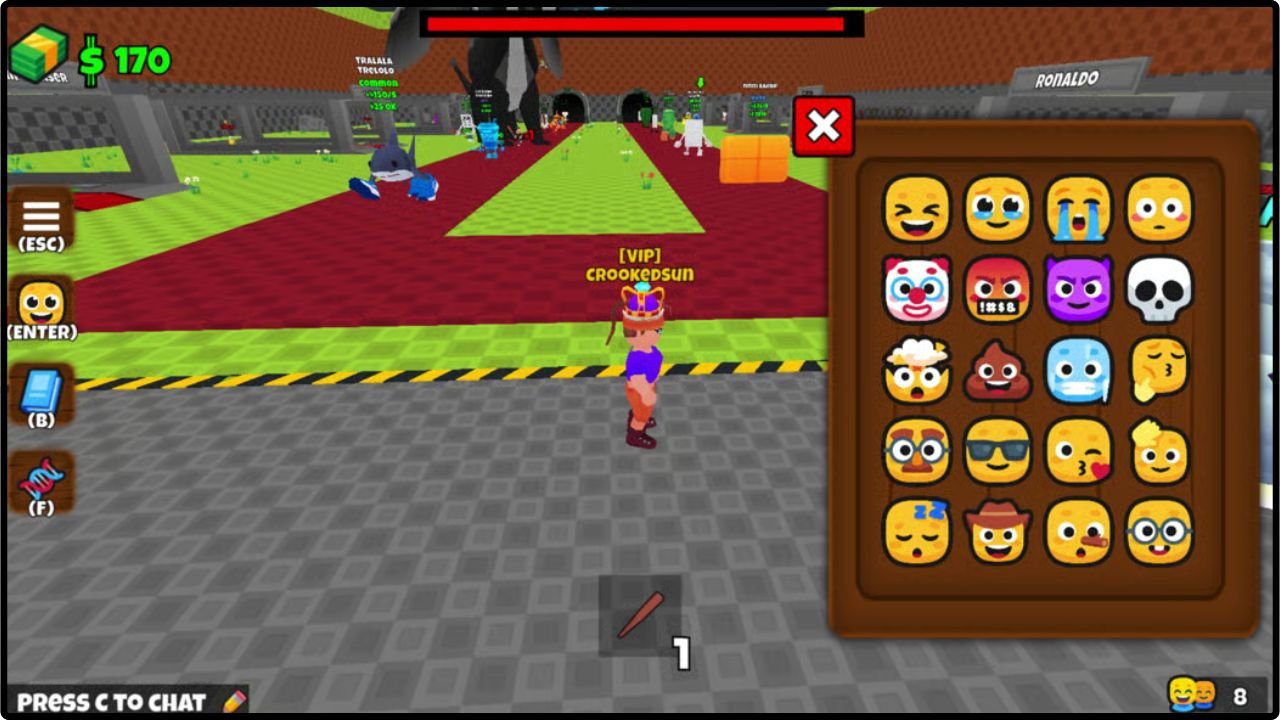
How to Play Crazy Games Steal a Brainrot
Getting started is straightforward. You do not need to learn complicated controls before your first match, but understanding the main gameplay loop will help you progress.
Step 1: Open the Game
Visit the official CrazyGames Steal Brainrot Online page.
Wait for the game to load, then follow the on-screen instructions to enter the game. Because it runs in a browser, you can try it without installing the Roblox desktop client.
If the game does not load, check your internet connection, refresh the page, or try an updated browser.
Step 2: Learn the Map
After entering the game, take a moment to understand the layout. Look for your base, the central conveyor, and nearby player bases.
The conveyor is where you can purchase available Brainrots. Other players’ bases are potential targets if you decide to attempt a theft.
Learning the map before rushing into action helps you avoid getting lost when you need to return home quickly.
Step 3: Buy Your First Brainrot
You begin with a limited amount of money. One way to start building your collection is to purchase an affordable Brainrot from the conveyor. When playing crazy games steal a brainrot, start with an affordable Brainrot so you can earn money and gradually build a stronger collection.
Choose a character you can afford rather than spending all your money without considering your next move.
Once you have a Brainrot, place it in your base so it can generate income. That income helps you purchase additional characters and grow your collection.
Step 4: Build Your Collection
As you earn money, look for opportunities to add more Brainrots to your base.
A larger collection can increase your income, making it easier to afford additional purchases. However, expanding too quickly without protecting your base can leave you vulnerable to theft.
Try to balance three priorities:
- Buy useful Brainrots.
- Keep enough money available for future purchases.
- Protect your collection when other players are nearby.
Step 5: Explore Other Bases
Once you understand the basic mechanics, you can try stealing Brainrots from other players.
Look for an opportunity to enter an unlocked base and identify a target. Before taking anything, consider how far you must travel to return home and whether the owner is nearby.
Stealing creates extra risk. Carrying a Brainrot slows you down, removes access to your items, and alerts the owner. If another player catches you, you may lose the character you tried to steal. In crazy games steal a brainrot, exploring other players’ bases can help you find opportunities to steal Brainrots, but stay alert so you can escape before they catch you.
Step 6: Protect Your Own Base
Remember that other players can raid your base too.
Use the available locks and temporary protection features to make stealing more difficult. The CrazyGames listing notes that shields last for a limited period, so timing matters.
Pay particular attention when your base contains valuable Brainrots. It is better to secure your existing collection than to lose everything while chasing another target.

Crazy Games Steal a Brainrot Controls
The game supports keyboard and mouse controls on desktop, along with touch controls on mobile devices.
| Action | Desktop control |
|---|---|
| Move | W, A, S, D |
| Jump | Spacebar |
| Interact | E |
| Return home | G |
The CrazyGames listing also describes mobile controls.
| Action | Mobile control |
|---|---|
| Move | Left joystick |
| Look around | Swipe |
| Jump | Up-arrow button |
| Interact | Hand button |
Controls can vary between games with similar names, so check the on-screen instructions if a control does not work as expected. Learning the controls in crazy games steal a brainrot can help you move around the map, interact with objects, and return to your base more efficiently.
Tips for Better Movement
Movement matters most when you are carrying a stolen Brainrot. Your character becomes slower, which gives the owner more time to respond.
Practice turning around corners, learning the distance between bases, and identifying a clear route home before attempting a theft.
The return-home shortcut can help you move back to your base, but the listed game instructions warn that you cannot keep the stolen Brainrot by using this shortcut.
Best Tips and Tricks for Steal Brainrot Online
You do not need to steal from every player or buy every character immediately to make progress. A little planning can help you build a stronger collection. These tips for crazy games steal a brainrot can help new players manage their money, grow their collections, and avoid unnecessary risks.
1. Start With Affordable Brainrots
When you first enter the game, focus on establishing a steady source of income.
Buying an affordable character gives you a starting point. As your money grows, you can make larger purchases without relying entirely on risky thefts.
Avoid spending every available coin on one purchase if doing so leaves you unable to take advantage of another useful opportunity.
2. Watch Other Players Before Stealing
Do not rush into the first base you see.
Observe whether the owner is nearby, whether the entrance is unlocked, and how quickly you could escape.
If the route back to your own base is long or exposed, consider waiting for a better opportunity.
3. Plan Your Escape Before Taking a Brainrot
A common mistake is thinking only about how to enter an enemy base.
The return journey matters just as much. Once you pick up a Brainrot, your movement slows and the owner receives an alert. In crazy games steal a brainrot, planning your escape before stealing a Brainrot can help you avoid other players, protect your progress, and return to your base safely.
Before you commit, identify the shortest practical route home and avoid unnecessary detours.
4. Use Base Protection at the Right Time
Locks and shields provide temporary protection, so activating them at a useful moment can make a difference.
Consider using protection when you have collected valuable characters or when you notice other players paying attention to your base.
Do not assume temporary protection lasts indefinitely. Check the available timer and prepare for what happens when it expires.
5. Keep Expanding Your Collection
Brainrots can generate income while they are placed in your base. That makes collection growth an important part of progression.
Use your earnings to improve your collection gradually. Keep an eye on the cost of new characters and the value they offer rather than purchasing randomly. In crazy games steal a brainrot, keep expanding your collection by saving your in-game money, buying new Brainrots, and protecting the characters you have already collected.
6. Learn When to Stop Chasing a Target
Sometimes the best move is to abandon a risky theft.
If the owner spots you, another player blocks your route, or your escape becomes difficult, continuing may cost you more than you gain. In crazy games steal a brainrot, knowing when to stop chasing a target can help you avoid unnecessary risks and focus on protecting your collection instead.
A good strategy focuses on securing reliable progress instead of taking every possible risk.
7. Treat Rebirth as a Long-Term Goal
The game includes a rebirth system that supports longer-term progression.
Rather than rushing toward it without understanding the requirements, learn how your current progress, collection, and available money fit together. Check the in-game requirements before making a decision that could affect your progress.
How to Protect Your Brainrots From Other Players
Protecting your collection is one of the most important parts of the game. Buying Brainrots is only half the challenge; keeping them safe is just as important.
Understand How Theft Works
A player can enter an unlocked base and attempt to carry a Brainrot back to their own collection.
When a theft begins, the owner receives an alert. The thief also becomes slower and loses access to items while carrying the stolen character.
These mechanics create an opportunity for defenders to respond. When playing crazy games steal a brainrot, keeping an eye on your collection is just as important as stealing characters from other players.
Use Locks and Temporary Shields
Use the protection options available in your version of the game.
Temporary shields can give you time to react, but they do not provide permanent safety. Watch their duration and avoid assuming that an earlier activation will still protect your base later.
Respond Quickly to Theft Alerts
If you receive an alert, identify where the thief is going and whether you can reach them safely.
The game’s instructions describe using a hammer to attack a thief. Timing and distance matter, so react quickly instead of waiting until the thief has almost reached their base.
Avoid Leaving Your Base Unprotected
If you spend most of your time raiding other players, you may overlook your own collection.
Check your base regularly, especially after purchasing a valuable Brainrot. Strong defense helps preserve the income you need for future upgrades.
CrazyGames vs. Roblox: What Is the Difference?
Players searching for crazy games steal a brainrot may be looking for the original Roblox game or a browser alternative.
These versions should not automatically be treated as identical. Before playing crazy games steal a brainrot, check whether you want the browser-based alternative or the original Roblox experience.
| Feature | CrazyGames version | Roblox original |
|---|---|---|
| Platform | Web browser and supported CrazyGames apps | Roblox platform |
| Access | Open the game listing in a browser | Open Roblox and find the original experience |
| Gameplay | Brainrot collection, stealing, and base protection | The original game’s experience and mechanics |
| Controls | Browser and touch controls described on the listing | Depend on the Roblox experience and device |
| Updates | Follow the CrazyGames listing | Follow the original Roblox experience |
CrazyGames describes Steal Brainrot Online as an alternative version of the Roblox game. Its mechanics and progression may differ, so do not assume that every character, feature, event, or update is shared across both versions.
If you specifically want the original game, search for it on Roblox. If you want a browser-based option, start with the CrazyGames listing.
Is Crazy Games Steal a Brainrot Free to Play?
The game is listed on CrazyGames as a browser game, so you can visit the listing and try playing without purchasing the game itself. One reason players search for crazy games steal a brainrot is the convenience of trying a browser game without installing the Roblox desktop client.
However, the availability of optional purchases, advertisements, or other features can depend on the platform and version. Check the information shown on the game page rather than assuming every edition has identical terms.
You also do not need to download the Roblox client simply to try the CrazyGames browser version.
Can You Play Steal Brainrot Online on Mobile?
Yes. The CrazyGames listing supports browser play on mobile and tablet devices, as well as desktop computers.
On mobile, movement uses a virtual joystick, while swiping lets you look around. Separate buttons handle jumping and interaction.
For a better experience:
- Use a stable internet connection.
- Rotate your device if the game asks for landscape orientation.
- Keep the movement and interaction buttons accessible.
- Check the game’s settings if performance feels slow.
Touch controls can feel different from a keyboard, especially when you are trying to escape with a stolen Brainrot. Spend a little time learning the controls before attempting difficult raids.
What to Do If Steal Brainrot Online Is Not Working
Browser games can occasionally fail to load or respond correctly. Try these steps if you have trouble starting a session.
The Game Is Stuck Loading
Wait briefly to see whether the game finishes loading. If it does not, refresh the page and check your internet connection.
You can also try another updated browser or close unnecessary tabs if your device is running slowly. If crazy games steal a brainrot will not load, refresh the game page, check your internet connection, and try an updated browser.
The Controls Are Not Responding
Click or tap the game area to make sure it is receiving input. Check the control instructions shown on the page and confirm that your device supports the required inputs.
If you are using a phone, make sure you can see and use the virtual joystick and action buttons.
The Game Runs Slowly
Close other resource-heavy applications and browser tabs. If your device has graphics settings available in the game, try lowering the graphics quality. If crazy games steal a brainrot runs slowly, try closing unnecessary browser tabs, checking your internet connection, and lowering other apps’ resource usage to improve performance.
A stable connection and sufficient device resources can help improve performance.
You Cannot Find the Same Features as Another Player
You may be looking at a different version of the game.
Compare the exact title and platform before following a guide. A strategy or feature shown in the Roblox original may not work in Steal Brainrot Online on CrazyGames.
Frequently Asked Questions
What is crazy games steal a brainrot?
It is a search term for finding Brainrot-themed games on CrazyGames. One relevant listing is Steal Brainrot Online, a multiplayer browser game where you collect characters, earn money, steal from other players, and protect your base.
Where can I play Steal Brainrot Online?
You can play it through the CrazyGames game page. Open the listing and follow the on-screen instructions to start.
Can I play Crazy Games Steal a Brainrot without downloading Roblox?
Yes. The CrazyGames browser version can be played through its website without installing the Roblox desktop client.
Is Steal Brainrot Online the same as the Roblox game?
Not exactly. CrazyGames describes its version as an alternative to the Roblox game. The main concepts are similar, but controls, progression, and available features may differ.
How do you get Brainrots?
You can purchase Brainrots from the central conveyor using in-game money or attempt to steal them from another player’s unlocked base.
How do you earn money in Steal Brainrot Online?
Place collected Brainrots in your base to generate income over time. Use the money to buy more characters and expand your collection.
How do you protect your base?
Use the available locks and temporary shields, check your base regularly, and respond quickly when another player attempts to steal a Brainrot.
Can you play Steal Brainrot Online on a phone?
Yes. The CrazyGames listing supports mobile and tablet browsers. The mobile controls use a virtual joystick, swiping, and on-screen action buttons.
Conclusion
Crazy games steal a brainrot is worth exploring if you enjoy meme-inspired characters, multiplayer competition, and the challenge of building a valuable collection.
Start by buying affordable Brainrots, learning the map, and building a steady income. Then explore stealing strategies while keeping your own base protected. If you enjoy collecting meme characters and competing with other players, crazy games steal a brainrot is a browser game worth checking out.
Most importantly, choose the correct version before following a guide. The CrazyGames browser game offers a convenient way to play online, while the Roblox original may have different mechanics and updates.
Visit Steal Brainrot Online on CrazyGames to get started.