
Last checked: November 14, 2026
Fortnite servers are currently reported as operational, according to Epic Games’ official status page. The monitored services include game services, login, matchmaking, voice chat, parties, and the Item Shop. However, individual players may still experience connection problems even when the main servers are working.
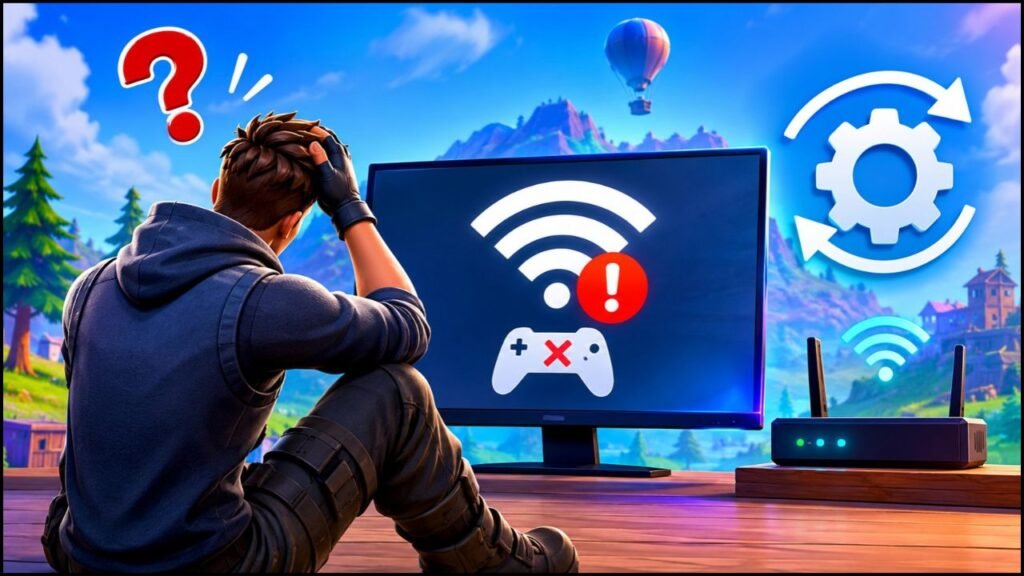
If you cannot get into a match, don’t immediately assume Fortnite is down. The problem could be scheduled maintenance, a login issue, your internet connection, or a platform-specific problem.
You can check the official server status here:
- Official Epic Games Status: Check Fortnite Server Status
- UptimeRobot: Check Fortnite Availability
- Epic Games Support: Server Outage Information
How to Check Fortnite Server Status
There are several ways to find out whether Fortnite is experiencing an outage. However, not every status checker provides the same information.
Here are the three most useful options.
1. Check the Official Epic Games Status Page
The Epic Games Public Status page is the most reliable place to check Fortnite server availability. Epic manages this page and posts updates when its services experience problems.
Follow these steps:
- Open the Epic Games Public Status page.
- Find the Fortnite section.
- Check the status of individual services.
- Look for any active incidents or scheduled maintenance.
- Open an incident to read its latest updates and estimated resolution time, if provided.
You may see several status labels:
| Status | What it means |
|---|---|
| Operational | The service is working normally. |
| Degraded Performance | The service is working but experiencing problems. |
| Partial Outage | Some parts of the service are unavailable. |
| Major Outage | A major service disruption is affecting players. |
| Maintenance | Epic is performing planned maintenance. |
One useful detail is that Fortnite has separate service categories. For example, login can work while matchmaking experiences problems.
This means you should check individual services on the Fortnite server status page instead of relying only on the overall status. This helps you identify exactly which service is experiencing problems.
2. Use UptimeRobot to Check Fortnite Availability
UptimeRobot’s Fortnite status checker provides another way to check whether Fortnite’s website is reachable.
It uses automated monitoring to check the availability of Epic’s website and displays information about detected errors and downtime.
Here’s how to use it:
- Visit the UptimeRobot Fortnite checker.
- Look at the current Up or Down indicator.
- Review its recent monitoring history.
- Check the reported incidents and response information.
- Compare the result with Epic’s official status page.
Keep in mind: UptimeRobot checks website availability. A website responding successfully does not guarantee that Fortnite matchmaking, login, or every in-game feature is working.
Use it as a secondary check rather than a replacement for Epic’s official status information.
3. Follow Epic Games Support and FortniteStatus
Sometimes, a problem affects players before you find a detailed explanation on a third-party status checker.
Epic recommends checking its official Fortnite server status page and following the FortniteStatus account on X to get live updates about server issues, maintenance, and service disruptions.
These channels can help you find information about:
- Scheduled server maintenance.
- Unexpected server outages.
- Matchmaking problems.
- Login and connection errors.
- Updates about ongoing technical issues.
- Fixes and service restoration.
You can also visit the Fortnite Live Issues and Bugs support page for official information about known problems.
Following these channels is particularly useful when you want to know whether an issue is affecting other players or only your connection.

Which Fortnite Services Can Experience Problems?
Fortnite is not powered by a single service. Different parts of the game depend on separate systems, so one feature can experience problems while others continue working.
Here are the main services worth checking when something goes wrong.
| Fortnite service | What it controls |
|---|---|
| Game Services | Core online game functionality. |
| Login | Connecting to your Epic Games account. |
| Matchmaking | Finding and joining matches. |
| Parties, Friends, and Messaging | Playing with friends and using social features. |
| Voice Chat | Communicating with teammates. |
| Stats and Leaderboards | Player statistics and rankings. |
| Item Shop | Browsing and purchasing in-game cosmetics. |
| Fortnite Crew | Accessing Fortnite Crew services. |
For example, imagine you can successfully log into Fortnite but cannot join a Battle Royale match.
This does not automatically mean the entire game is offline. The Fortnite server status may show that matchmaking is experiencing a separate problem while other game services remain operational.
Similarly, you might be able to play normally but experience issues with voice chat or the Item Shop.
Practical tip: Always identify which feature is failing before troubleshooting your entire game or internet connection.
Why Are Fortnite Servers Down?
The Fortnite server status can change for several reasons. Some outages are planned by Epic for maintenance or updates, while others happen unexpectedly due to technical problems.
Understanding the difference can help you decide whether to wait or troubleshoot your own device.
Scheduled Maintenance and Game Updates
Scheduled maintenance is one of the most common reasons players temporarily lose access to Fortnite.
Epic Games regularly releases updates to introduce new content, fix bugs, improve performance, and make changes to existing features.
During some updates, Epic temporarily takes game services offline so the changes can be applied.
You might experience:
- An inability to log in.
- Matchmaking being disabled.
- Download or installation requirements.
- Temporary server connection errors.
- Maintenance messages when launching the game.
For example, Epic scheduled downtime for the Fortnite v43.10 update on November 12, 2026. The announced window began at 9:00 UTC, with matchmaking disabled 30 minutes earlier. The maintenance was subsequently marked as completed.
How to know when maintenance ends
Check the official Fortnite server status page for scheduled maintenance announcements. Epic may provide an estimated downtime window, but the actual time when servers return online can change.
Do not assume that Fortnite will become available at an exact minute unless Epic confirms that the maintenance has finished.
Unexpected Server Outages
Not every outage is planned.
Sometimes, players suddenly experience login failures, matchmaking errors, or connection problems without receiving an earlier maintenance announcement.
These situations can result from unexpected technical problems affecting Epic’s online services.
When an outage occurs, you might notice:
- Long matchmaking queues.
- Failed login attempts.
- Disconnections during matches.
- Problems joining friends.
- Repeated connection errors.
If Epic confirms an outage, the best option is to wait for its team to resolve the problem.
Restarting your router repeatedly will not fix an issue affecting Epic’s servers.
Matchmaking Problems
Sometimes Fortnite launches successfully, but you cannot enter a match.
This can happen when the matchmaking service experiences problems or when your connection cannot communicate properly with the game.
Epic identifies matchmaking errors #5 and #7 as errors that can result from server or network connection problems.
Before changing your network settings, check whether matchmaking is operational on the official status page.
Platform or Regional Connection Problems
A problem with the Fortnite server status does not always affect every player. Some connection issues may only impact specific regions, platforms, or groups of players.
You might experience difficulties on PC, PlayStation, Xbox, or Nintendo Switch while other players can still access the game.
Your internet provider, network routing, device settings, or local connection can contribute to these problems.
For example, a player might have high ping because their internet provider is routing traffic inefficiently, even though Fortnite servers are operational.
Epic also explains that matchmaking regions can contain multiple subregions, and the server selected for a match can vary. Fortnite Battle Royale Support
This is why a working global status page does not guarantee a perfect connection for every player.
What to Do If Fortnite Servers Are Working but You Cannot Connect
If Epic reports that all Fortnite services are operational but you still cannot play, the issue may be related to your device or internet connection.
Try these solutions in order.
1. Restart Fortnite
Start with the simplest solution.
Completely close Fortnite and launch it again. If the Fortnite server status shows that services are operational, restarting the game may help resolve temporary connection problems.
If you are using a console, make sure the game has fully closed instead of remaining suspended in the background.
2. Restart Your Router
Your internet connection may be experiencing temporary problems, even if the Fortnite server status page shows that all game services are working normally.
Try the following:
- Close Fortnite.
- Turn off your router or modem.
- Wait around 30 seconds.
- Turn it back on.
- Wait until your internet connection returns.
- Launch Fortnite again.
If possible, use an Ethernet connection instead of Wi-Fi to get a more stable connection.
3. Check for Fortnite Updates
An outdated game version can prevent you from accessing online features.
Open your platform’s game library or launcher and check whether Fortnite has an available update.
On PC, check the Epic Games Launcher. Console players can check their respective game update menus.
Install any available update before trying to connect again.
4. Disable VPN or Proxy Connections
VPNs and proxy services can sometimes interfere with your connection to Epic’s services, even when the Fortnite server status shows that the servers are running normally.
If you use one, temporarily disable it and try launching Fortnite again.
This can help identify whether your network routing is contributing to the issue.
5. Check Your Internet Connection
Open another website or online game to see whether your internet is working normally.
You can also try switching to a mobile hotspot temporarily.
If Fortnite works on another connection, your usual network or internet provider may be contributing to the problem.
Epic’s official troubleshooting guide also recommends checking your router, DNS configuration, and connection when no server outage is reported.
6. Check Your Platform’s Network Connection
Your gaming platform may have a separate network issue, even when the Fortnite server status shows that Epic’s services are working normally.
Check the network connection on your device:
- PC: Check your internet connection and Epic Games Launcher.
- PlayStation: Check PlayStation Network connectivity.
- Xbox: Check Xbox network connectivity.
- Nintendo Switch: Run the console’s internet connection test.
If your platform’s network is experiencing problems, Fortnite may not connect even when Epic’s services are working.

How to Tell Whether Fortnite Is Down or Your Internet Is the Problem
One of the most frustrating situations is seeing Fortnite fail to connect without knowing where the problem comes from.
The easiest way to identify the cause is to compare the official server status with your own connection.
| What you notice | Possible cause | What to do |
|---|---|---|
| Epic reports a major outage | Epic server problem | Wait for an official update. |
| Login works, but matchmaking fails | Matchmaking issue | Check the matchmaking status. |
| Fortnite fails on multiple devices | Network or server issue | Compare Epic’s status and test another connection. |
| Other online games also fail | Internet or platform issue | Check your router and platform network. |
| Fortnite works on mobile hotspot | Home network issue | Contact your internet provider if needed. |
| Only voice chat fails | Voice chat or local settings issue | Check voice chat status and settings. |
| High ping but no outage | Network routing or congestion | Check your connection and matchmaking region. |
Remember that these are troubleshooting clues, not guaranteed diagnoses.
For example, if Fortnite works on a mobile hotspot but not on your home Wi-Fi, the issue is more likely related to your home network than a confirmed outage shown by the Fortnite server status page.
How to Check Your Ping in Fortnite
You can also display network information directly inside Fortnite.
Follow these steps:
- Open Fortnite and enter the lobby.
- Open the Settings menu.
- Select the Game UI tab.
- Find Net Debug Stats.
- Turn it ON.
- Select Apply.
Your network details will appear in the upper-left corner of the screen.
Ping is measured in milliseconds (ms). A lower ping generally means less delay between your device and the game server.
Epic explains that network congestion, internet routing, and matchmaking server selection can all affect latency.
How Long Does Fortnite Server Maintenance Usually Last?
There is no fixed maintenance duration for every Fortnite update.
Some maintenance periods are relatively short, while major updates may require additional time. Check the Fortnite server status page for maintenance updates and estimated downtime before trying to log in again.
The duration depends on the type of update, technical work, and whether Epic encounters unexpected problems.
Epic sometimes publishes an estimated downtime window on its status page. However, this estimate should not be treated as a guaranteed restart time.
To stay informed:
- Check the scheduled maintenance announcement.
- Look for the estimated downtime.
- Monitor Fortnite’s individual service statuses.
- Wait for Epic to mark maintenance as completed.
- Restart the game and install any required update.
Epic also recommends following its official status channels for maintenance announcements and updates. Fortnite
Frequently Asked Questions
Is Fortnite down right now?
As of November 14, 2026, Epic Games reports Fortnite’s monitored services as operational. However, server conditions can change, so check the official status page for the latest information.
How do I check Fortnite server status?
Visit the Epic Games Public Status page and find the Fortnite section. You can check login, matchmaking, game services, voice chat, and other features individually.
Why can’t I log into Fortnite?
Login problems can happen because of server outages, scheduled maintenance, outdated game files, or internet connection issues. Check Epic’s server status before troubleshooting your device.
When will Fortnite servers be back online?
There is no universal downtime schedule for Fortnite. Epic provides estimated restoration times when available, so keep checking the official Fortnite server status page for the latest maintenance updates and service restoration announcements.
Why is Fortnite matchmaking not working?
Matchmaking problems can result from server maintenance, unexpected outages, or network issues. Check whether matchmaking is operational before restarting your router or changing your network settings.
Can I play Fortnite during server maintenance?
Generally, you cannot access online matchmaking while the affected Fortnite services are under maintenance. Check the Fortnite server status page for updates and wait until Epic completes the maintenance and restores access.
Is UptimeRobot accurate for checking Fortnite servers?
UptimeRobot is useful for checking whether Epic’s website is reachable. However, it does not guarantee that every Fortnite service is working. Epic’s official status page provides more detailed information about individual services.
Does Fortnite server status affect every platform?
Not necessarily. A problem can affect particular services or platforms without causing a complete outage for everyone. Check the relevant service and your platform’s network status to narrow down the issue.
Conclusion
Checking Fortnite server status is the easiest way to find out whether a connection problem is affecting Epic Games or your own device.
Start with the official Epic Games Public Status page, then use UptimeRobot and FortniteStatus for additional information.
If the servers are operational but you still cannot connect, restart Fortnite, check for updates, test your internet connection, and review your platform’s network settings.
Most importantly, avoid wasting time changing your device settings when Epic has already confirmed a server outage.
Keep Gamelorix bookmarked for more gaming guides, troubleshooting tips, and useful updates.
You May Also Like:
If you want to try something different while Fortnite servers are unavailable, exploring other games is a great option. Check out our list of the best open world games worth exploring in 2026, featuring 15 amazing games that offer exciting worlds, adventures, and gameplay experiences.